


How to install the Mandarin Palace Android app
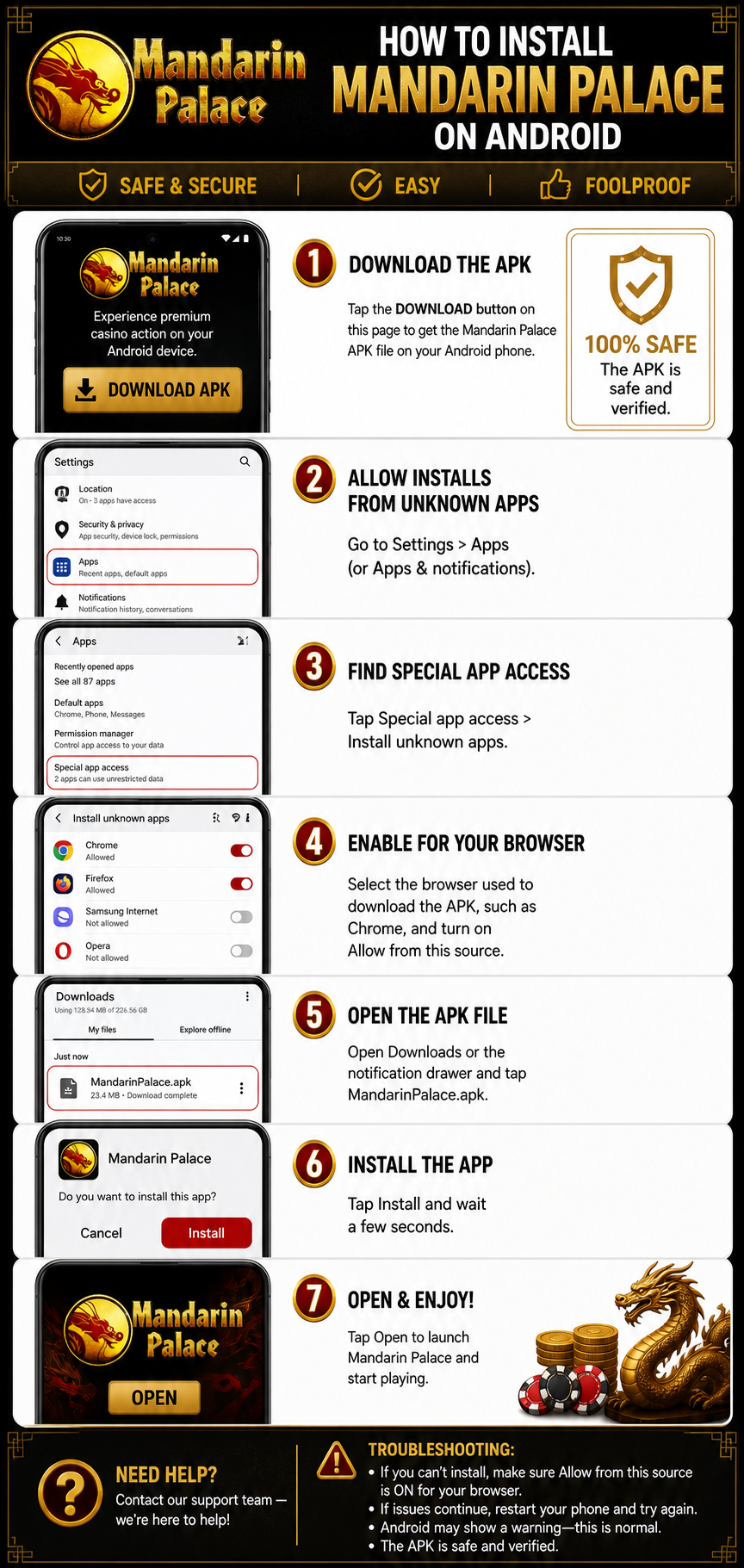
Follow these steps to install the Mandarin Palace Android app safely:
- Download the APK. Tap the download button above to download the Mandarin Palace APK file to your Android phone.
- Allow installs from unknown apps. Open Settings > Apps (or Apps & notifications).
- Find Special app access. Tap Special app access > Install unknown apps.
- Enable your browser. Select the browser used to download the APK, such as Chrome, and turn on Allow from this source.
- Open the APK file. Open your Downloads folder or notification drawer and tap MandarinPalace.apk.
- Install the app. Tap Install and wait a few seconds for the installation to complete.
- Open and enjoy. Tap Open to launch Mandarin Palace and start playing.
Important: Android may display a warning when installing an APK from outside Google Play. This is normal for this type of installation. Make sure you downloaded the APK from the intended source and keep Allow from this source enabled only for the browser you trust.